 Bitácora 26
The logbook for radio amateurs, Citizens Band and radio clubs.
Log your contacts without losing any and without jumping between programs: log, waterfall, map, FT8 and FT4, Cluster, confirmations and QSL cards between users, awards, online services and radio club management, all in one place.
Windows 10 or 11, 64-bit. It updates itself without losing anything. The program is in Spanish for now; the English version is on its way.
Does Windows show a warning? See how to open it (2 clicks).
What it can do
Born from the hobby and from the many interesting radio applications out there, but bringing everything together in one program.
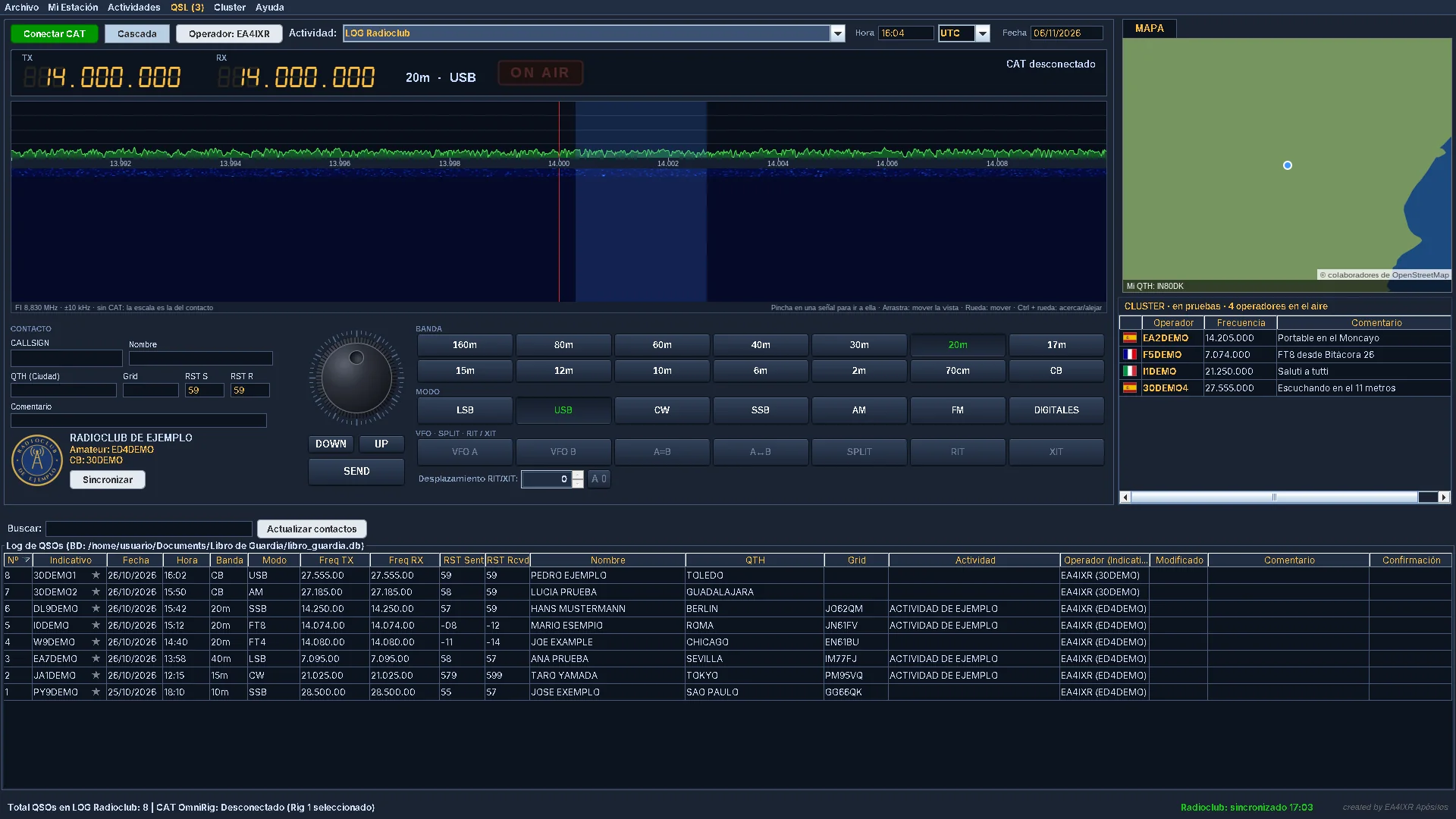
LOG Logbook
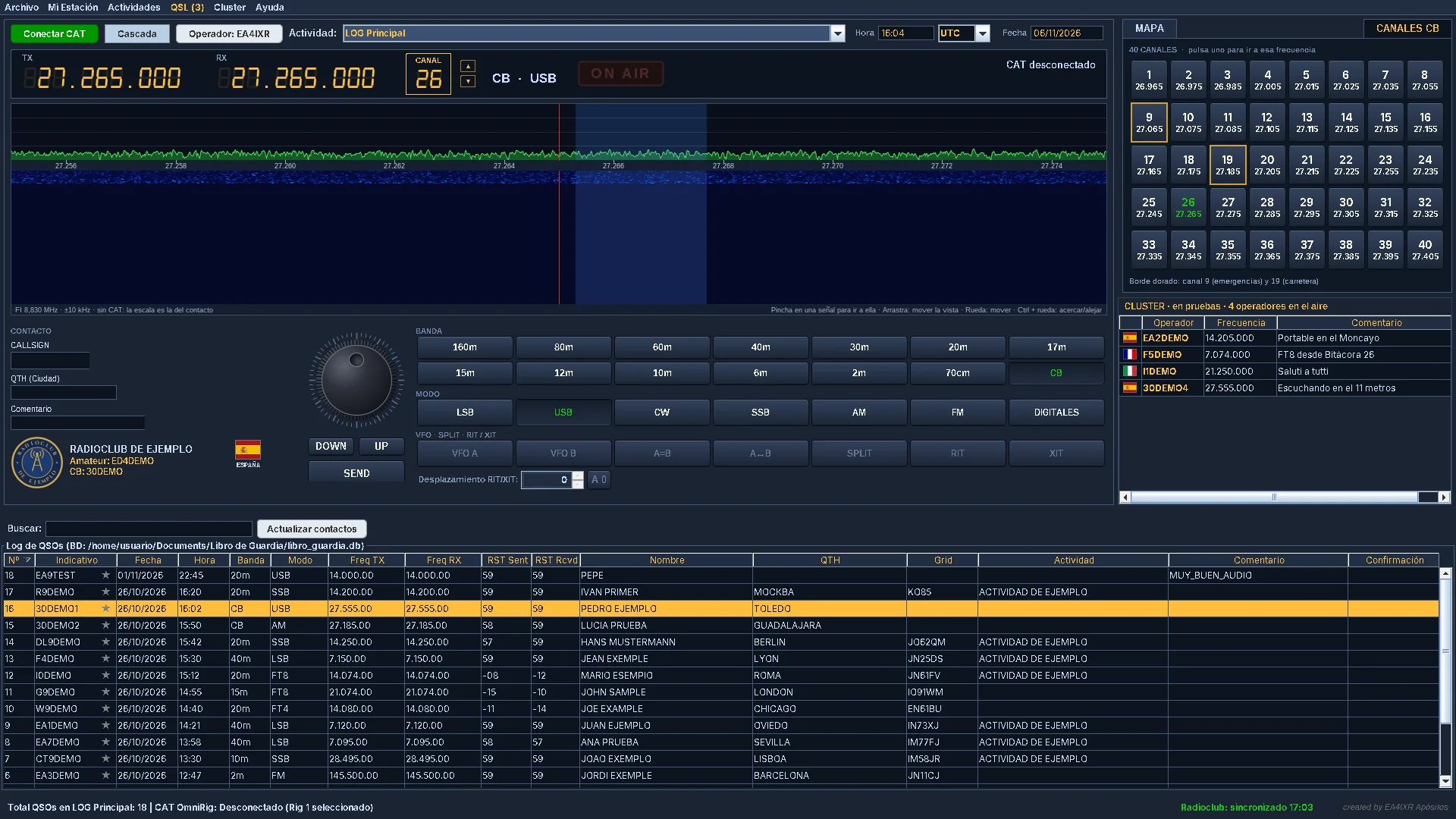
- Callsign, name, QTH, locator, band, mode, frequency and RST.
- Time always in UTC; you can view it in UTC or local time.
- The other station's details from QRZ.com with your account.
- Several operators on the same computer, each with their own password.
- Merge your logs even if you use the program on several computers.
FT8 Digital modes
- FT8 and FT4 inside the program: DIGITALES button.
- Listen, answer and call CQ with automatic sequencing.
- PTT via CAT, VOX, RTS or DTR. The contact is saved to the LOG automatically.
- Check your computer clock with one click on the clock.
B26 Bitácora 26 account
- Free and optional. One account per person, with your HF and/or CB callsign.
- Contacts between users are confirmed automatically.
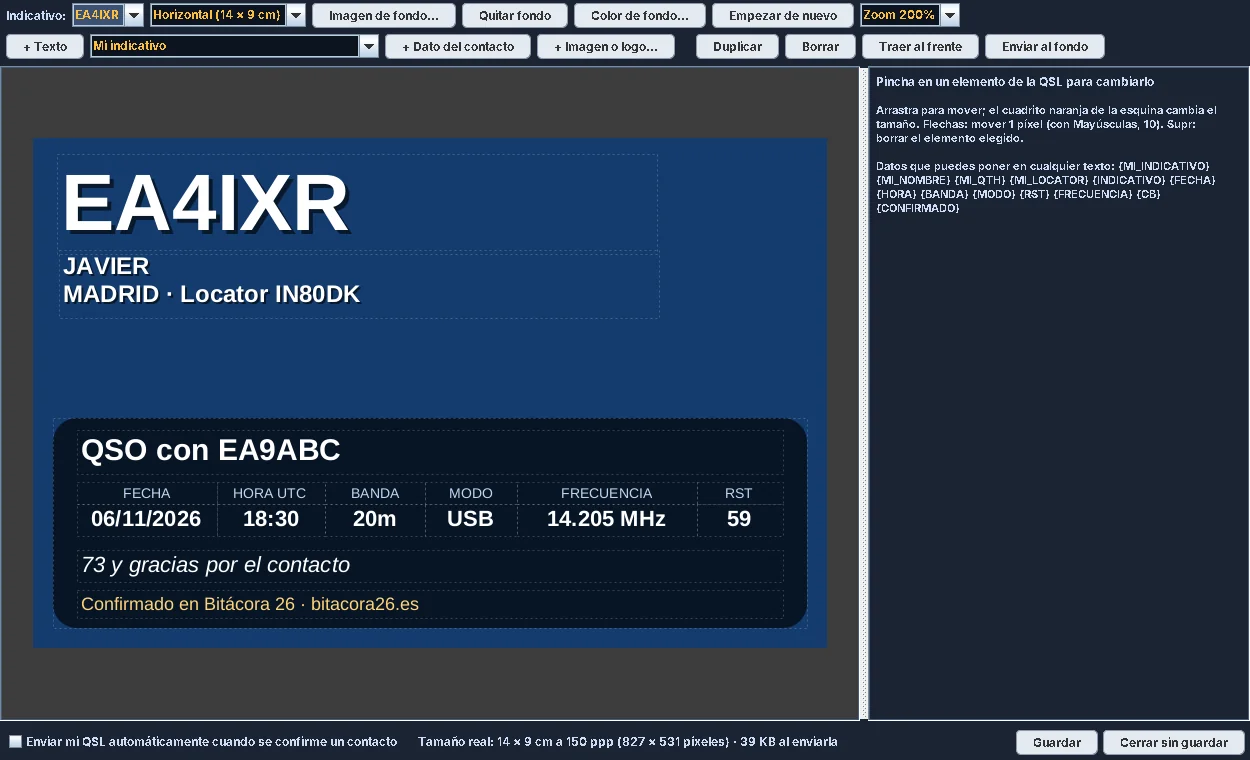
- Design your QSL card freely and send it to anyone with an account.
- When you log a contact, their name, QTH and locator are filled in automatically.
ON AIR Cluster (testing)
- Press ON AIR and other users see your frequency and mode.
- Only for users with an account: nobody can appear with someone else's callsign.
- Click a station in the Cluster to prepare the contact.
CB Citizens Band
- Its own view with the 40 channels, with 9 and 19 highlighted.
- Editable CB callsign directory.
- QRZ.com is never queried on CB.
- List shared with radio club members, exportable as .adi.
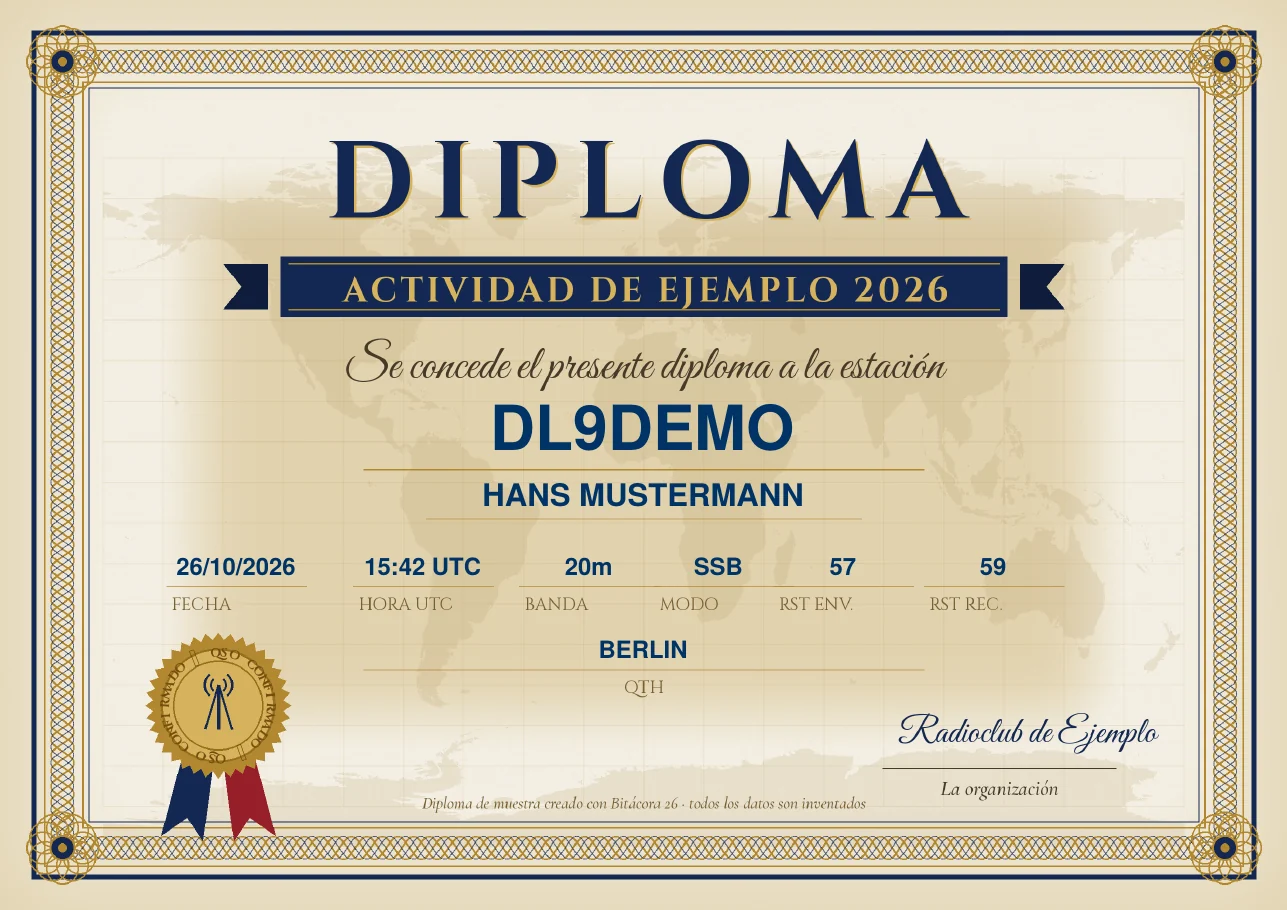
PDF Activities and awards
- Simple activities (one contact per station) or by points and bands.
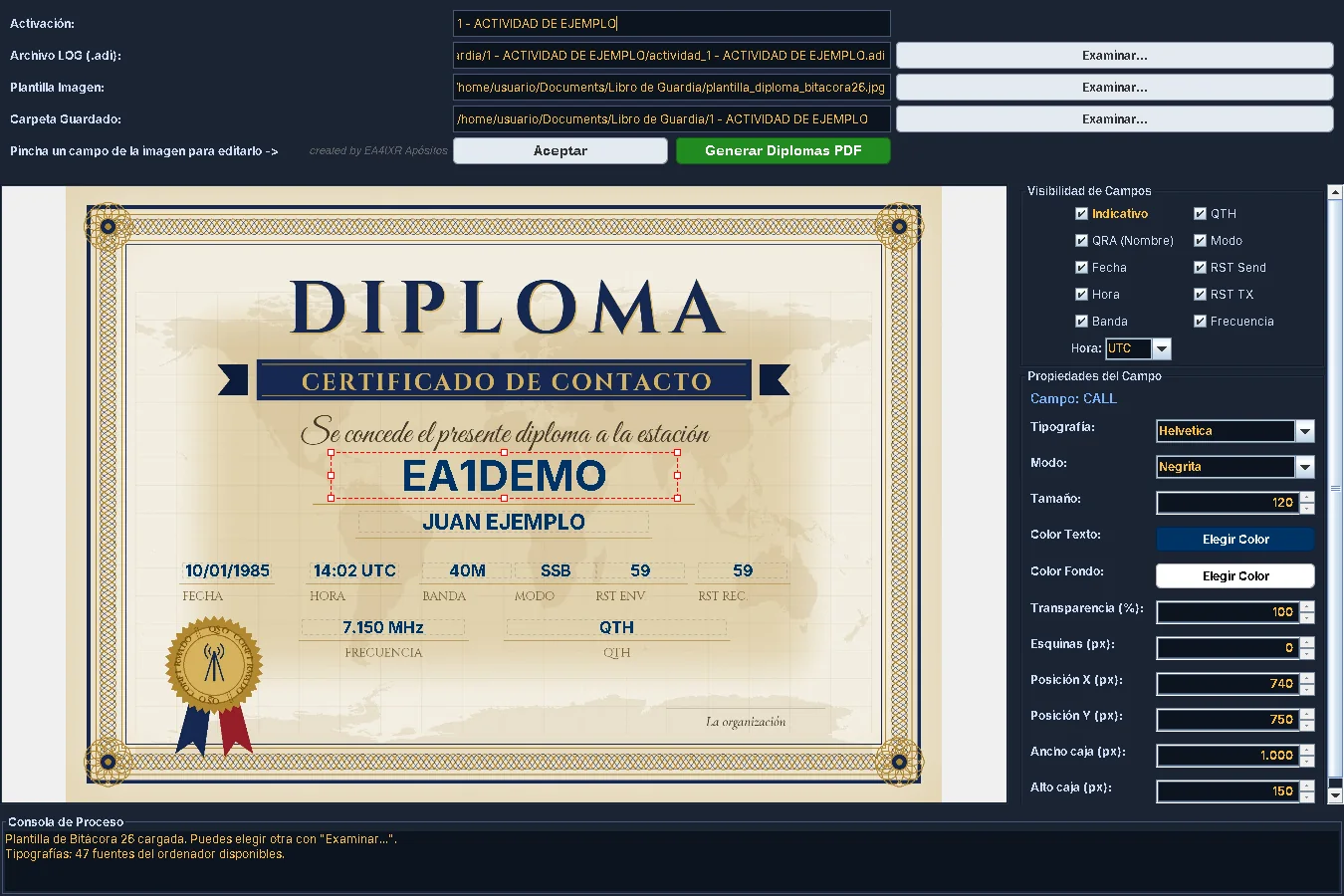
- Award generator on your own template.
- All the awards of an activity in one click.
SDR Waterfall and map
- Waterfall spectrum with an RTL-SDR receiver.
- The other station on the map, with its country flag.
- CAT connection to the radio (OmniRig): it reads frequency and mode; it only changes something when you ask.
WEB Online services
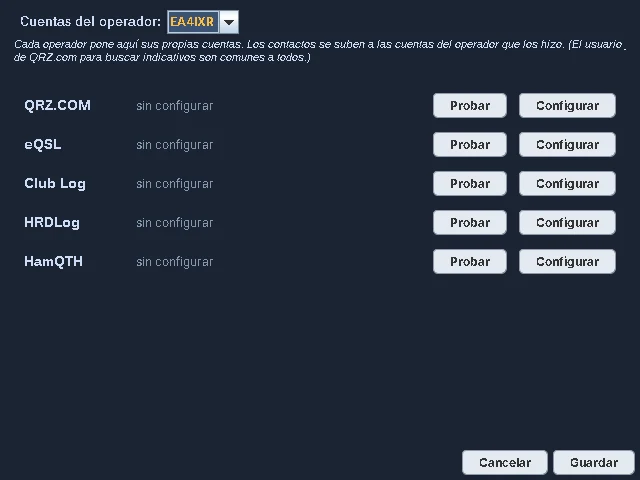
- Upload your contacts to QRZ.com Logbook, eQSL, Club Log, HRDLog and HamQTH.
- Each operator sets up their own accounts.
- A Test button for each service to check your details work.
- Also compatible with WSJT-X.
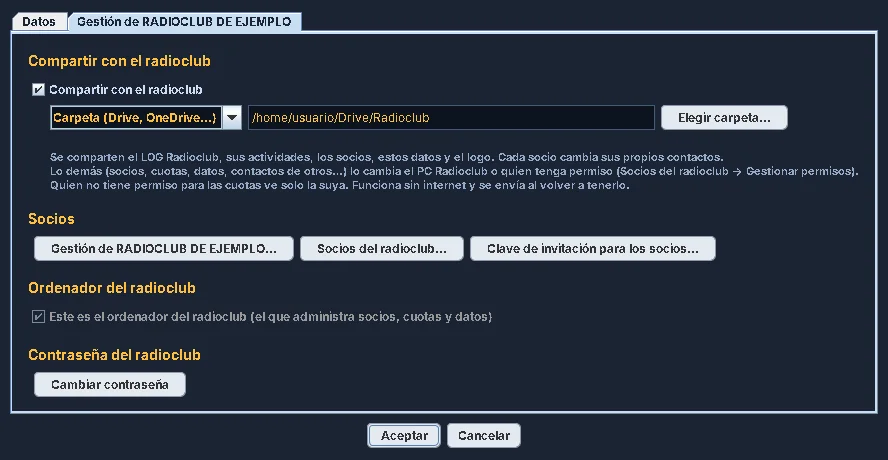
RC Radio club
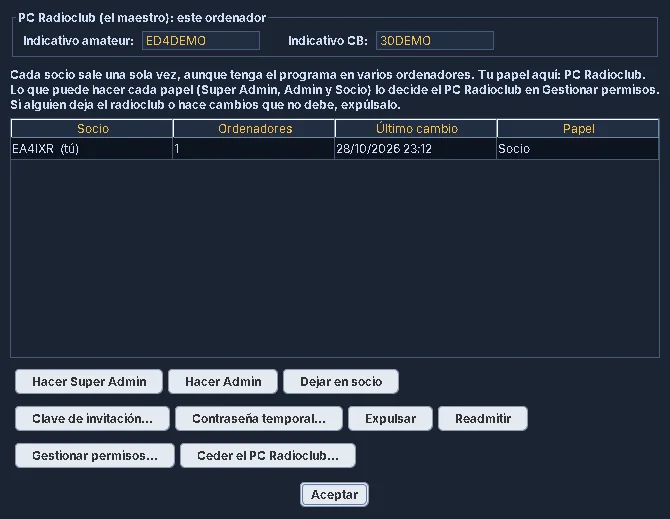
- Radio club members, fees and activities.
- Radio club LOG shared through a cloud folder or FTP.
- Each member joins with their own invitation key.
- Roles and permissions: Radio club PC, Super Admin, Admin and Member.
Screenshots
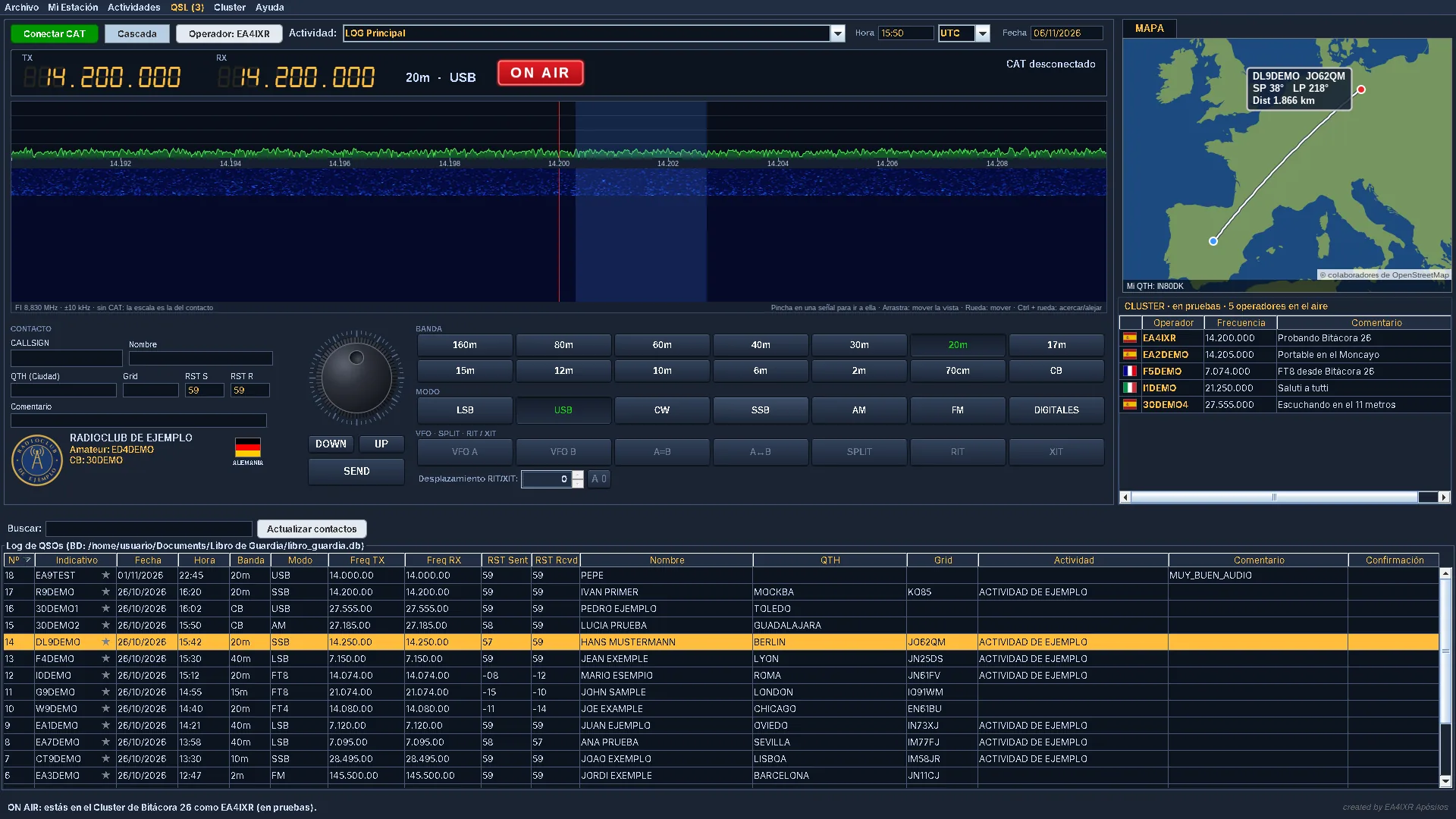
This is how the program looks (in Spanish for now). Click an image to see it full size.
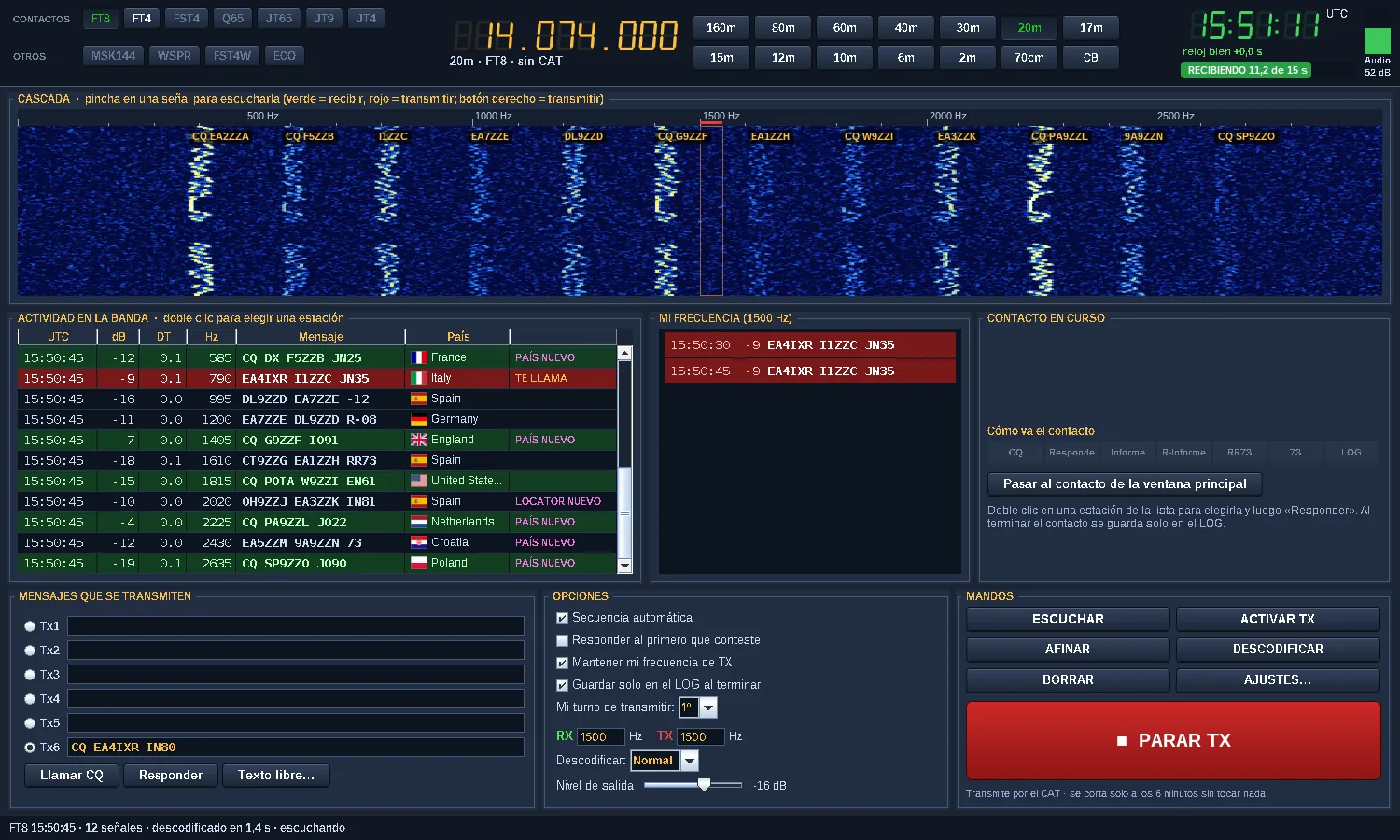
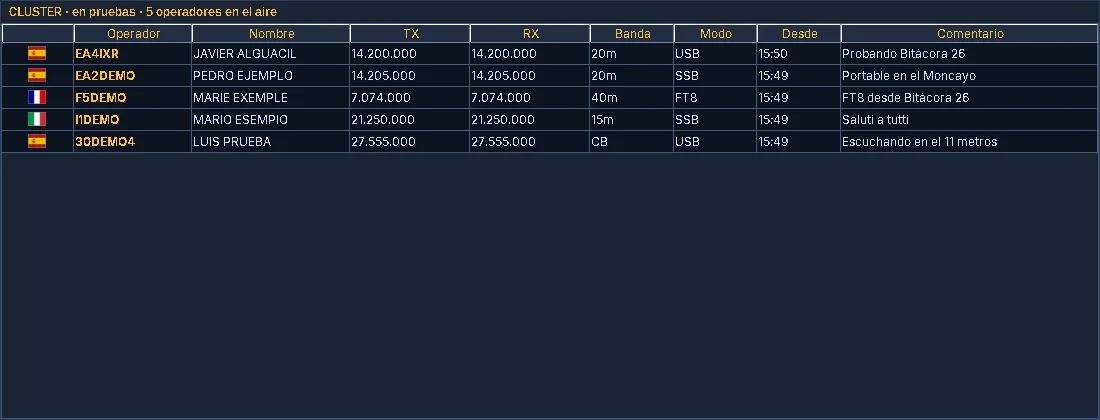
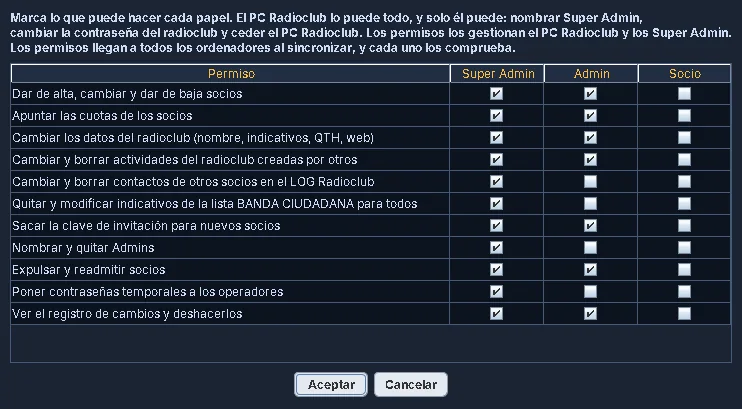
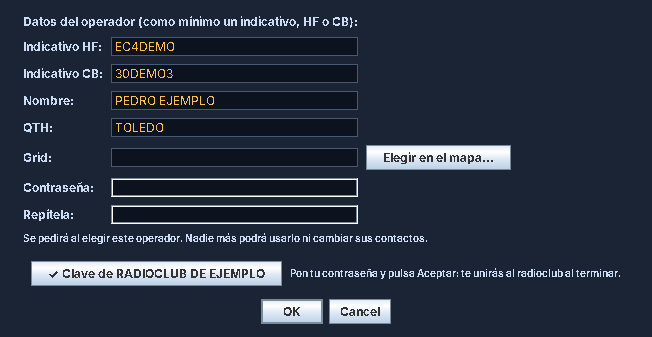
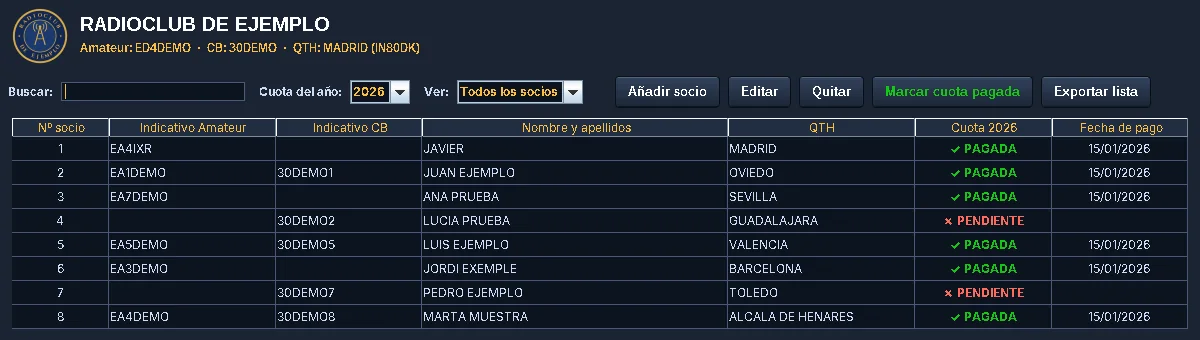
All callsigns, names and contacts in the screenshots are made up.
Install in four steps
No need to install Java or anything else: the program is complete.
- Download Bitacora.26.zip, the latest version.
- Unzip it wherever you want, for example on the Desktop.
- Open the Bitacora 26 folder and double-click Bitacora 26.exe.
- The first time it asks for your operator details. If your radio club gave you an invitation key, click Tengo clave del radioclub… (I have a radio club key) and they are filled in automatically. For confirmations, QSL and Cluster, create your account (above, in Create account, or from Mi Estación → Operador).
⚠️ If Windows says “Windows protected your PC”
This is normal and does not mean there is a virus: Windows warns about any free program that is not digitally signed yet. Bitácora 26 is safe. To open it, just two clicks:
It only happens the first time. Your contacts are saved in Documents\Libro de Guardia.
What you need
| Requirement | What for |
|---|---|
| Windows 10 or 11, 64-bit | Always |
| OmniRig | Only to connect the radio (CAT) |
| RTL-SDR receiver | Only for the waterfall |
| Audio interface or data cable for the radio | Only to transmit FT8 / FT4 (DIGITALES) |
Frequently asked questions
If you have another question or find a bug, write to me at info@bitacora26.es.
Does it cost anything?
No. Bitácora 26 is free.
How does it update?
When you open it, the program checks for a new version and, if you want, updates itself without losing anything. You can also check in Ayuda → Información de la aplicación → Buscar actualizaciones (Help → About → Check for updates).
Do I need WSJT-X for FT8?
No. FT8 and FT4 are built into Bitácora 26 (DIGITALES button). If you prefer WSJT-X, it works too: the contacts reach the LOG.
Do I need a Bitácora 26 account?
No. It is optional and free. It is only needed for confirmations between users, QSL cards, filling in contacts from user details and the Cluster.
Can I use WSJT-X and Bitácora 26 at the same time with the same radio?
Yes. Both must use the same OmniRig, which you choose in Mi Estación → Mis emisoras (My station → My radios).
Does it send anything to the radio?
Only when you ask: for example, when you press a band button or transmit in the digital modes. The rest of the time the program only reads the radio's frequency and mode.
Where is my data?
On your computer, in Documents\Libro de Guardia. Back up that folder from time to time.